flprender
Stop wasting time digging for old projects. flprender batch-exports every FL Studio project on your Mac to mp3 — so your whole library is easy to hear, sort, and manage.
FLP Render.app inside
(right-click → Open the first time)
Every producer knows the pain: projects pile up over time, and the names
stop meaning anything. A folder full of .flp files called
feb13_two or newcollab_4 — and no way to hear
what any of them are without opening them one by one.
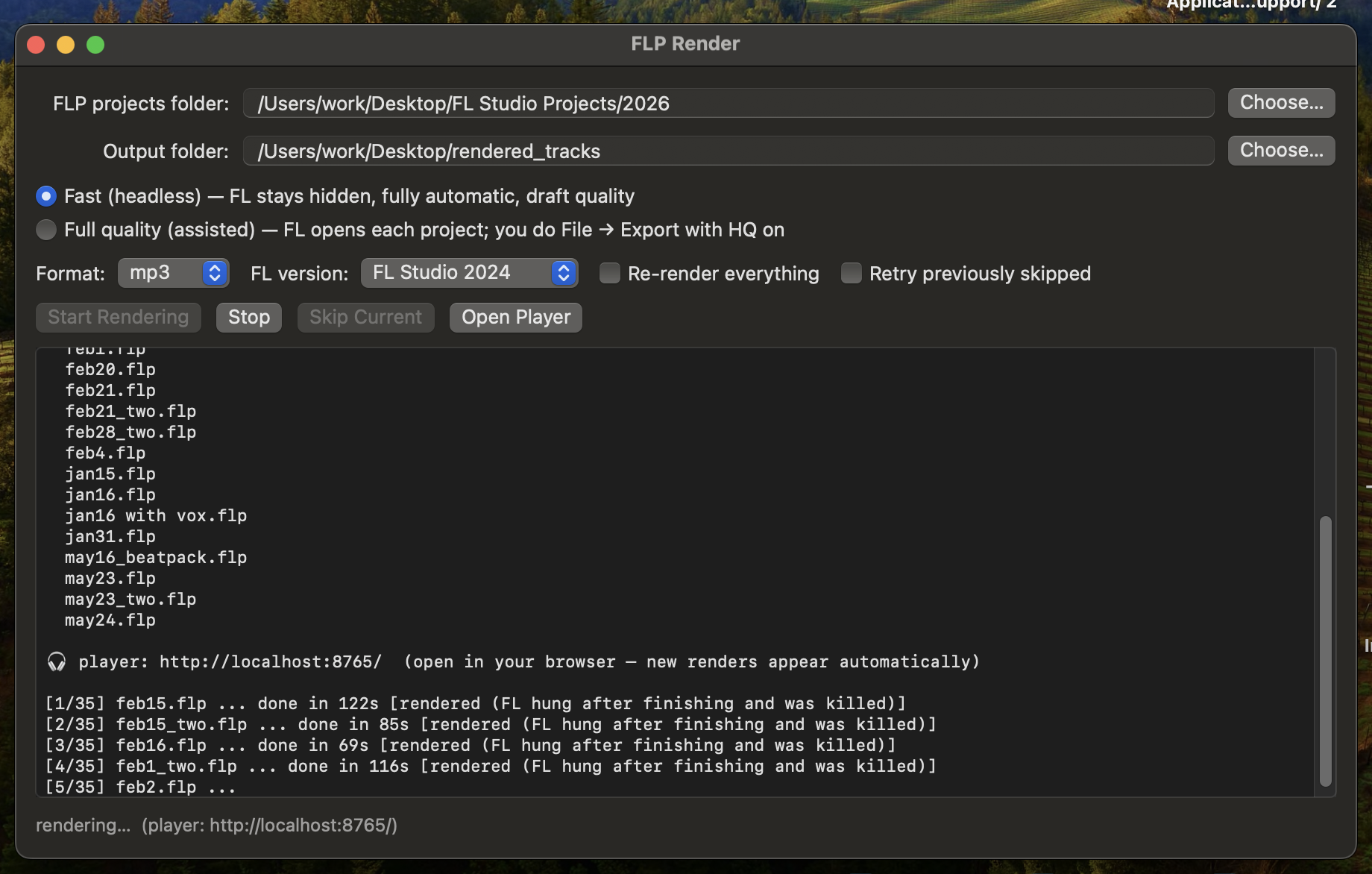
flprender is a lightweight macOS tool that fixes that. Point it at your projects folder and it exports every project to mp3 — FL Studio runs hidden in the background, one project at a time, while you do something else. Then it gives you a local web player to actually conveniently manage the files.
What it does
- Renders your whole library unattended. Skips what's already rendered, retries FL's crashes, detects projects stuck on missing plugins, and picks up where it left off if you stop it.
- Detects broken projects before wasting time. Every
.flpis scanned for missing samples up front — projects that can't render right are skipped and listed, with the exact files that are gone. - Web player for triage. New renders appear live as they finish. Star the keepers, thumbs-down the garbage, organize into folders.
- Every mp3 knows its project. Rename a track in the
player and the
.flprenames with it. Delete one and both go to the Trash. Listen, judge, prune — without ever opening FL.
How it works
Open the app, pick your projects folder, pick an output folder, hit Start. That's it. A native macOS app for rendering, a browser page for listening — plus a full command line if that's more your thing.
Requirements
macOS with FL Studio installed. Python 3 (macOS installs it for you if
missing) and lame for mp3 encoding. Free and open source.
Built by Bian Lee. Renders use FL Studio's own engine — you need your own copy installed.